Pin Module/Pin Manager
Step 4 - Open the Pin Manager and then click on the blue lock symbol for PORTA pin 4 (RA4) output. It should turn green and adds the RA4 I/O pin to the project. The RA4 pin is connected to the D2 LED. It should look like the picture here when completed:

Step 5 - Close the Pin Manager and then click on the Pin Module under Project Resources.

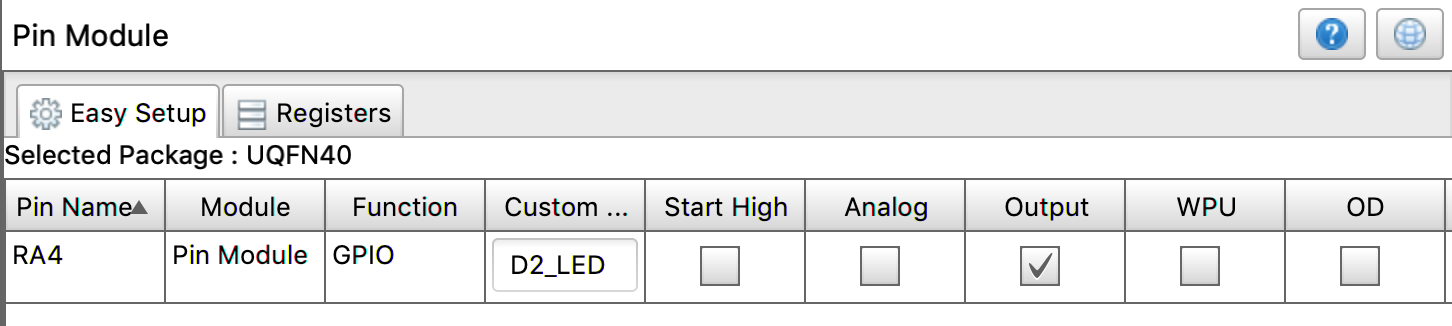
The center screen should show RA4 listed on the I/O chart. Click on the output box to make the pin an output (if not checked) and make sure Analog and WPU are not checked (click on them to uncheck them). Change the Custom Name column to say D2_LED.