Create an MPLAB X Project
Note: To follow along with these steps, MPLAB X IDE should be open and the HPC Curiosity Board connected to the computer through a USB cable.
Step 1 - Create a new standalone project in MPLAB X for a PIC16F18875.
Note: If this is your first time creating an MPLAB X project, please visit the "Create a Standalone Project" page to follow a step-by-step instruction on how to do this.
Step 2 - Open the MPLAB Code Configurator under the Tools > Embedded menu of MPLAB X IDE.

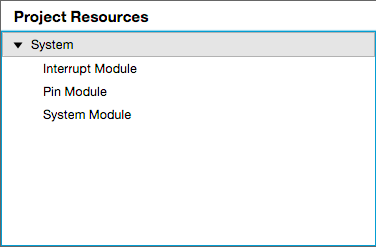
Step 3 - Select the peripherals for your project. For this project, the following peripherals need to be selected:
- System Module
- Interrupt Module
- Pin Module
The System Module, Interrupt Module, and the Pin Module will all be automatically included when you launch the MCC. The result should look like the picture below: