
Project Properties
Project properties contain settings that control the build process as well as the programming operation. Some of these settings are as follows:
- Build options
- Compiler and version number
- Target MCU
- Connected hardware tool
- Programmer/debugger or evaluation board connected to your computer
Open the Project Properties Window
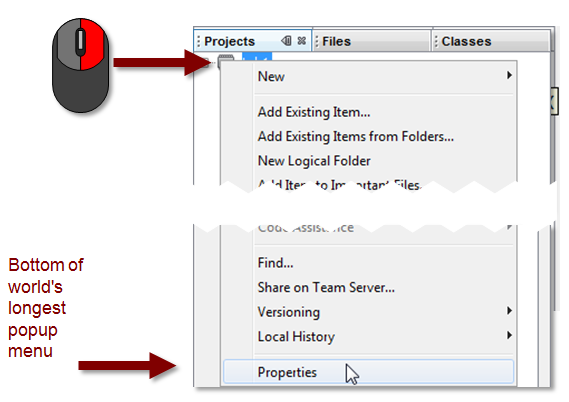
There are several ways to open the Project Properties window. Right-click on the name of your project in the 'Projects' window and select 'Properties' at the very bottom of the pop-up menu.
You can also open the Project Properties window by selecting Tools Icon  in the Dashboard window.
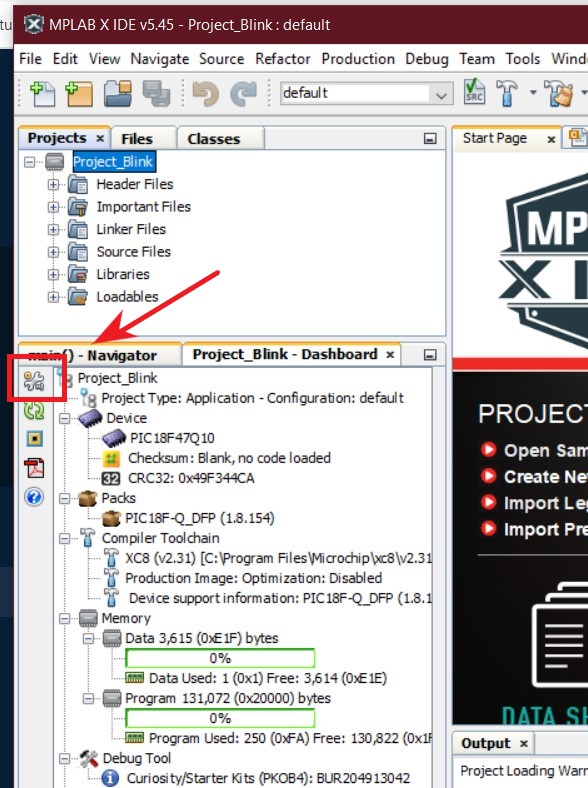
MPLAB X IDE will bring up the following window:
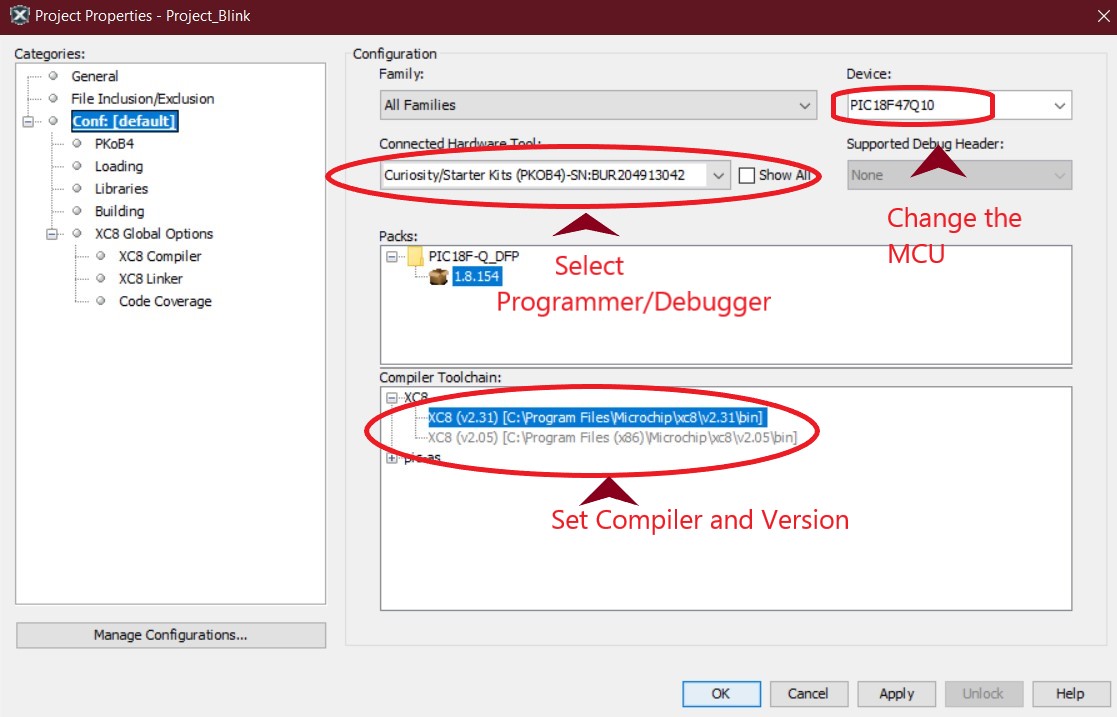
There are a lot of settings in the Project Properties window. Thankfully, almost all of them are automatically set up for you. The only ones you really need to pay attention to are in the Conf:[.....] category (shown above). Verify the Device (target MCU), Connected Hardware Tool (programmer/debugger or evaluation board), and Compiler Toolchain are correct. If not, change them using this window and click the Apply button.