
Entering a Design Iteration
This lesson we will make a minor modification to the design and then "re-build" and program the design.
1) Reopen the SmartDesign Canvas,
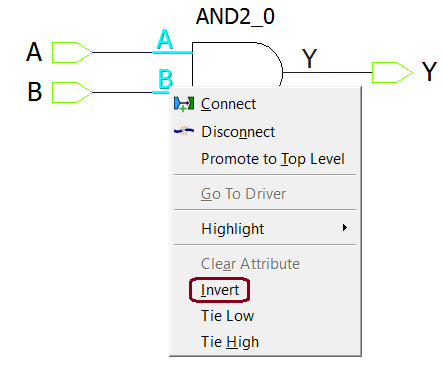
2) Hold the CTRL key and select input ports A and B of AND2_0, then click the right mouse button to bring up the menu. Select Invert to invert the signals, this is built into the SmartDesign capabilities to invert or tie off any I/O.
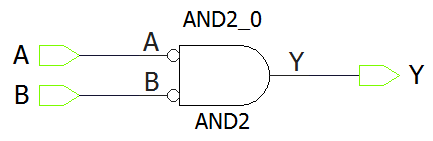
3) The ports are inverted.
4) Click the Generate Component button, this resets the rest of the compilation functions but keeps your I/O constraints.
5) Right-click Run PROGRAM Action on the Design flow window and select Update and Run to run all the steps in between and reprogram the device in one click. If it seems to be taking a while, check to see if the Warning dialog box about running in non-Timing-driven mode is behind your active window.
6) Observe the correct behavior on the board by pressing both switches simultaneously to illuminate LED1.